
For shooters and editors with a pile of card dumps
Camera cards in, searchable footage out.
Boring Little Labeler is a Mac app. It copies your cards, checks every byte against the source, files the clips, then labels what's in them so you can find a shot a year later.
$100 once Updates included.
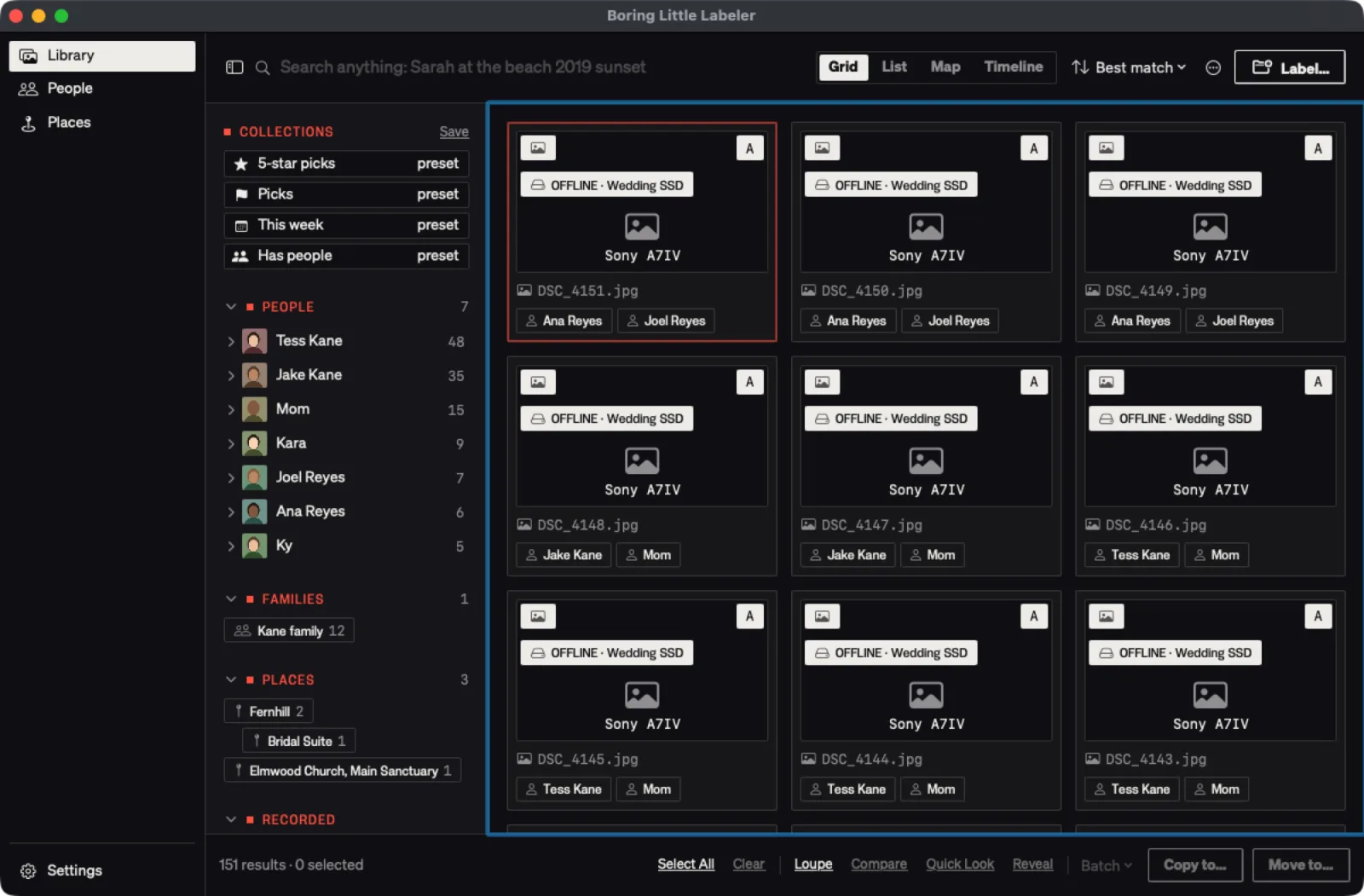
Where did that shot go?
Today
Cards get dragged into Finder and named A001_C012. Six months later you scrub through forty folders looking for one shot of the first dance.
With Boring Little Labeler
The Labeler copies the card, proves the copy, and labels each clip with what's in it and who's in it. Then you type what you remember and it finds it.
How does it work?
- 01
Put the card in
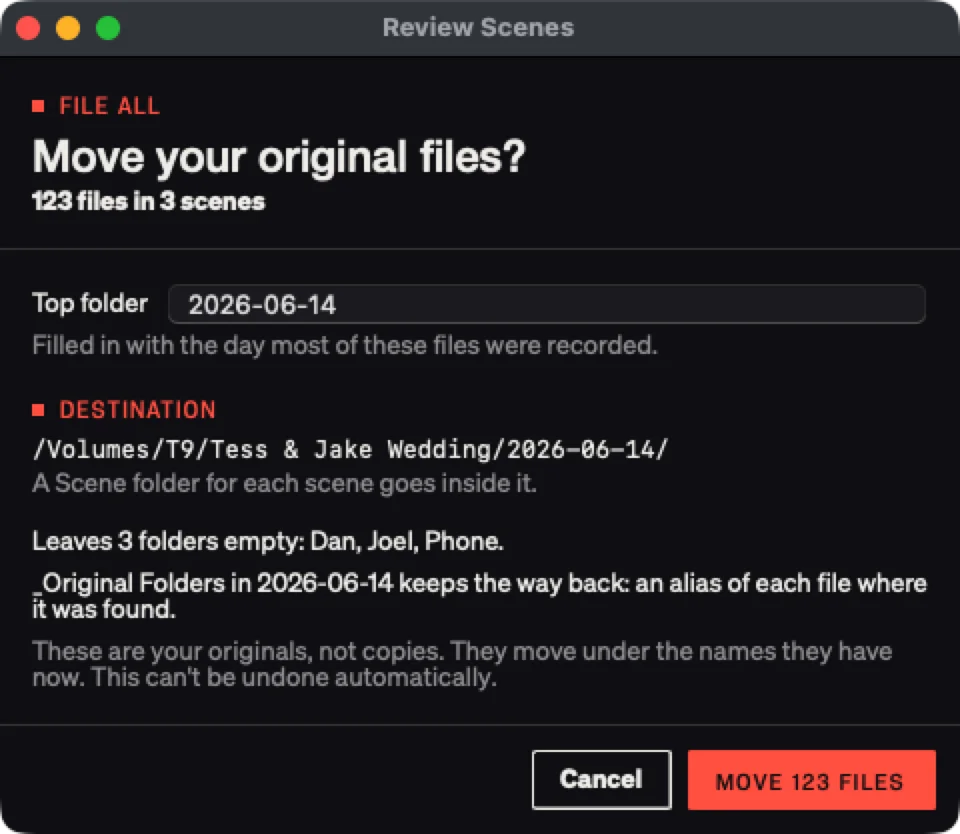
It copies every clip to your drive and hashes each one against the card as it goes. Sony XML, RED RMD and Canon THM files travel with their clip.
- 02
It checks the copy, then files it
Every file is checked byte for byte with xxHash64, and an MHL file records it. It only says the card is safe to reformat when every hash matches.
- 03
It labels what it sees
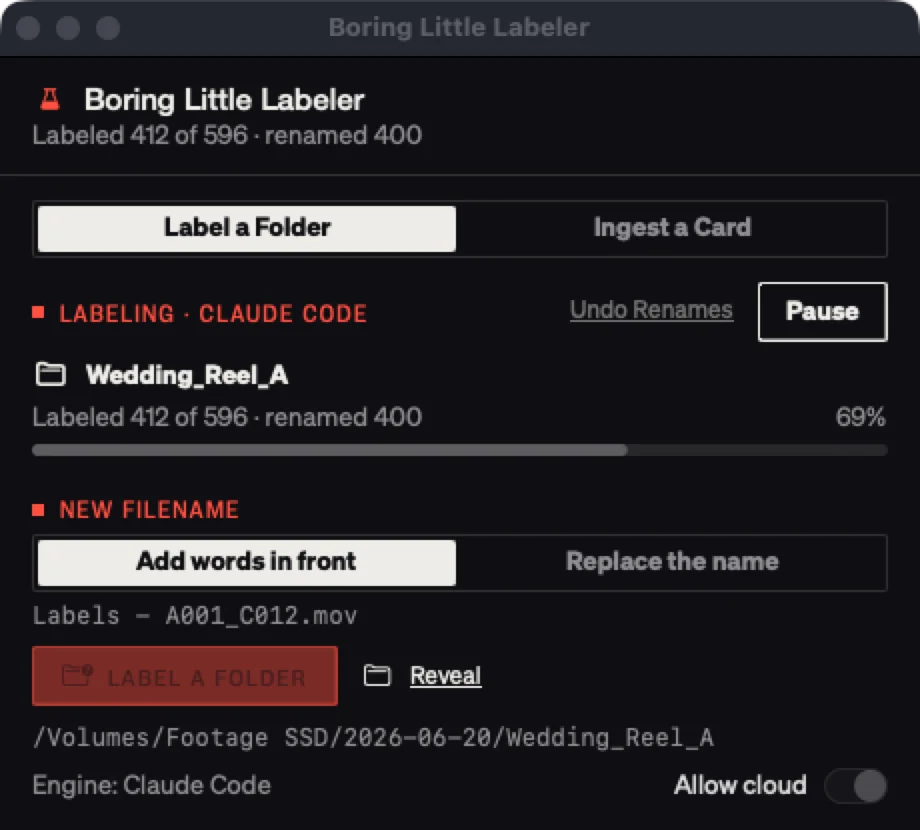
Each clip gets labels for what's in it, and faces you've named get matched. Label a Folder does the same for footage already on a drive, renaming each file as it goes.
- 04
Find it later
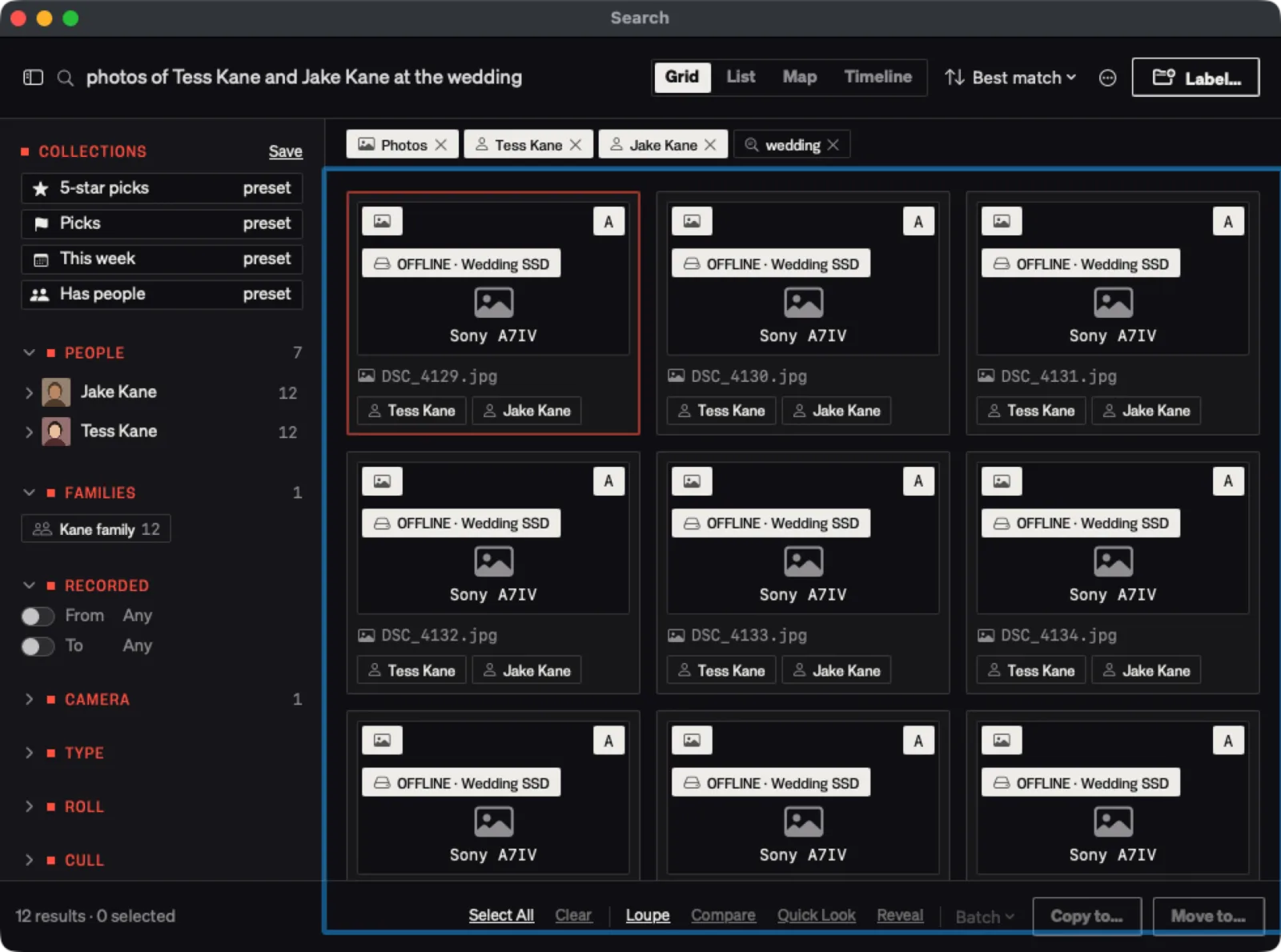
Type a sentence like "photos of Tess at the wedding" and it narrows to people, places, cameras and words. Grid, list, map or timeline.
What does it write for one shoot?
| Camera file | Renamed to |
|---|---|
| A001_C012.mov | Ceremony wide, aisle, Tess, Jake - A001_C012.mov |
| A001_C013.mov | Vows close-up, rings, Tess - A001_C013.mov |
| DSC_4151.jpg | Portrait, golden hour, Ana, Joel - DSC_4151.jpg |
| DJI_0099.mp4 | Venue from above - DJI_0099.mp4 |
How does it compare to dragging cards into Finder?
| Boring Little Labeler | Finder | Hope | |
|---|---|---|---|
| Checks the copy | Every file, xxHash64, with an MHL | No | No |
| Says when the card is safe to wipe | Only when every hash matches | No | No |
| Files it | Project / Date / Scene / Camera | Wherever you drop it | Somewhere |
| Finds a shot later | Search by people, places, words, camera | By file name | Scrubbing |
What do you get?
- The Mac app, yours for good
- Card copies checked byte for byte, with an MHL file
- Labels, scenes and face matching for footage new and old
- Free updates. It checks once a day and tells you when one is out
- Setup steps by email, and a person to write to if you get stuck
Who isn't it for?
- Windows PCs
- Anyone without Claude Code, Codex or Grok's command-line tool and a subscription to run it. Labels come from one of them
- Teams that need a shared server library. It runs on one Mac
What does Boring Little Labeler cost?
Questions
What do I need to run it?
A Mac on macOS 14 or later, Apple silicon or Intel. For labels you need Claude Code, Codex or Grok's command-line tool, logged in with your own subscription. There's no per-clip bill from us.
Does it send my footage to the cloud?
Only frames, only to the AI tool you picked, and only after you allow it for that folder. Faces are matched on your Mac and never sent anywhere.
Does it touch my originals?
Card ingest copies and never changes the card. Label a Folder renames files where they sit and keeps an undo log, so Undo Renames puts the old names back.
What if a copy fails?
It says which file failed and won't tell you the card is safe to reformat.
Which cameras does it know?
RED, Sony, Canon and Blackmagic cards, plus photos and phone video. Each camera's sidecar files stay with their clip.
How do updates work?
The app checks once a day. When there's a new version it tells you and links the download. Updates are free.
The Mac won't open it the first time.
Go to System Settings, then Privacy & Security, and click Open Anyway. You only do this once.
What happens after I buy?
Stripe sends the receipt. The download and the setup steps follow by email a few minutes later. Stuck? Reply to that email.
Point it at your next card.
$100 once. No subscription from us, and updates are free.
Buy Boring Little Labeler →